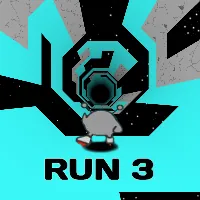
RUN 3












SIMILAR GAMES


























About Run 3 on Unblocked Games Pod
Master the challenges of Run 3 on Unblocked Games Pod. As a standout in our Casual Arcade Reflex collection, it combines responsive input mechanics with fast asset loading, ensuring that your gameplay remains crisp and uninterrupted from the very first frame.
Core Gameplay Objectives & Mechanics
In Run 3, success hinges on rhythmic timing, hand-eye coordination, responsive reaction speed, and progressive score scaling. The title strikes an ideal balance between accessible entry-level mechanics and a high competitive skill ceiling, making every victory deeply rewarding.
How to Play & Universal Controls Scheme
Mastering Run 3 is designed to be frictionless across keyboards, mice, trackpads, and touch devices. Use the verified control bindings below:
| Action | Keybinding |
|---|---|
| Primary Directional Movement | W A S D or Arrow Keys |
| Primary Action / Trigger | Spacebar or Left Mouse Click |
| Pause / Settings Menu | P or Esc |
| Restart Level | R Key |
Chromebook 60 FPS Optimization & Performance Guide
Thanks to efficient asset compression, Run 3 loads in seconds on standard school Wi-Fi connections. If you ever experience minor input latency, clearing cached images in your browser history or temporarily disabling heavy extensions will restore instantaneous keyboard and touch feedback.
Pro Tips & Strategies for Mastering Run 3
- Optimize Peripheral Vision: Focus your visual attention slightly ahead of your character model rather than directly on it, giving your brain more time to react to incoming obstacles.
- Learn from Failed Attempts: Each mistake in Run 3 provides actionable feedback. Adjust your timing by a fraction of a second on subsequent attempts to cleanly clear difficult bottlenecks.
- Study the Environmental Layout: Take a split-second at the start of each round in Run 3 to assess hazard placements, enemy patrol trajectories, and optimal pathing lines.
- Master Momentum Management: Smooth, deliberate inputs yield far better results than erratic button mashing. Maintain your forward momentum to glide through tricky sections.
Frequently Asked Questions
Tested and verified for smooth 60 FPS ChromeOS & desktop browser execution by the Senior Game Curation Team for Unblocked Games Pod.